Capsulo One
Creator & Developer
I built this for my girlfriend, then I couldn't stop using it myself
How it started
My girlfriend works at a marketing agency. The clients she handles are pretty particular about privacy. NDAs, sensitive data, the kind of stuff where someone asking “are you recording this?” would turn into a difficult conversation. Her problem was simple: she needed to remember what was said in meetings. Decisions, context, the back-and-forth that happens when a group is figuring something out. Writing notes while trying to keep up with the conversation meant she was always a step behind. She’d type fast, miss something, go back, and by then the meeting had moved on.
She came to me and asked if there was an app that could just record the screen and generate a transcript. But here’s the thing: it couldn’t upload anything anywhere. No cloud processing, no bots joining the call, nothing that would raise a flag if someone looked at her screen or asked about her tools. If there was even a hint that recordings were leaving her machine, the conversation about trust and information handling would come up. And that’s a conversation you don’t want to have.
I looked around. Most transcription tools either send audio to a server or add a bot to your meeting. Neither worked for her situation. So I built it.
Building the first version
The core idea was straightforward. Record the screen and audio, then transcribe it locally using Whisper. No network calls, no accounts, no cloud anything. Everything stays on the machine.
I went with Electron because I needed access to system audio, screen capture, and the file system. The app records everything locally, then runs AI transcription right on the machine. Nothing leaves the computer. No server calls, no processing somewhere else. When you stop recording, it handles the video and the transcript at the same time so you’re not waiting around.
That first version worked. My girlfriend started using it, and it solved her problem. But then I started using it too.
When I started using it myself
That’s when I noticed the gaps. Small things at first. The interface felt functional but not considered. Some interactions were clunky. The design didn’t have a point of view. It worked, but it didn’t feel like something I’d be proud to ship. For me, there’s a difference between software that functions and software that feels right.
I kept finding myself reaching for it during my own calls and work sessions. And every time I did, I’d notice something else that could be better. A button that felt off, a flow that took one too many clicks, a visual choice that was just default rather than intentional.
So I refactored the whole thing.
The redesign
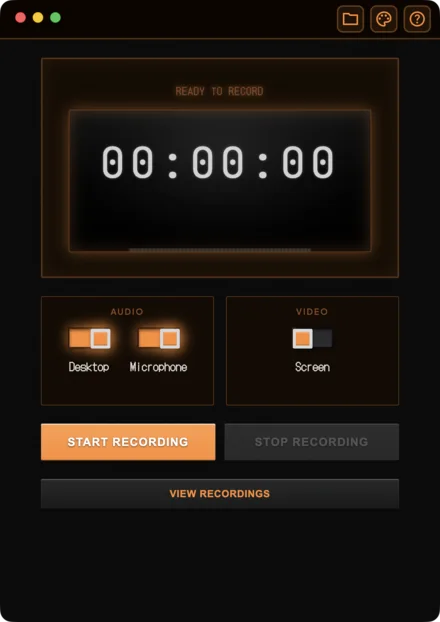
I wanted Capsulo One to feel opinionated. Not opinionated in the way that annoys people, but in the way where you can tell someone actually thought about every decision. The inspiration came from Teenage Engineering. Their products are playful and they look incredible, but nothing comes before the functionality itself. That’s the balance I was going for.
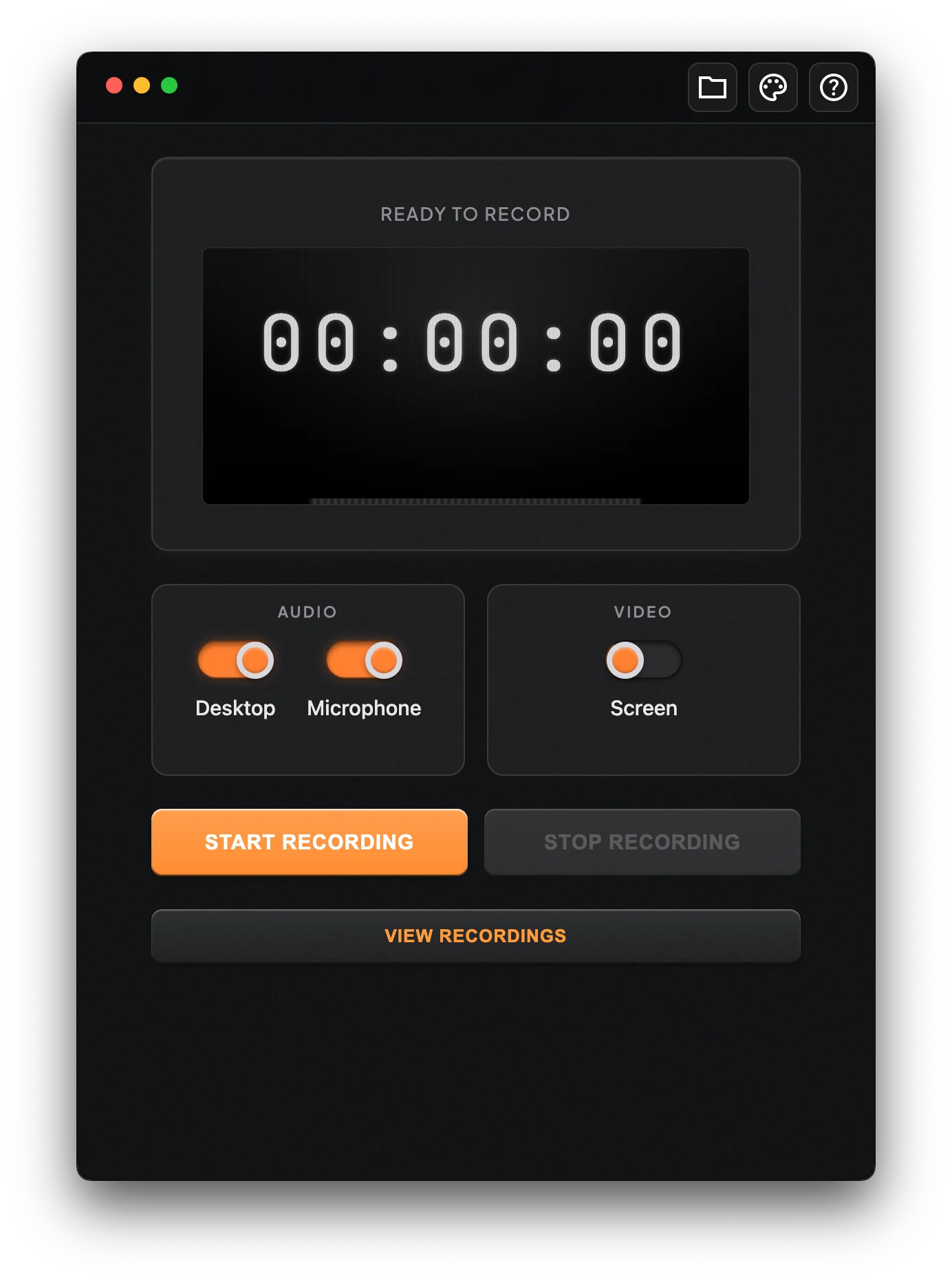
The interface is minimal. There’s a timer, a visualizer, your recording options, and that’s it. No settings panels with 40 toggles. No onboarding wizard. You open it, you hit record, you stop, and your transcript is ready. I wanted that clarity to be the design.
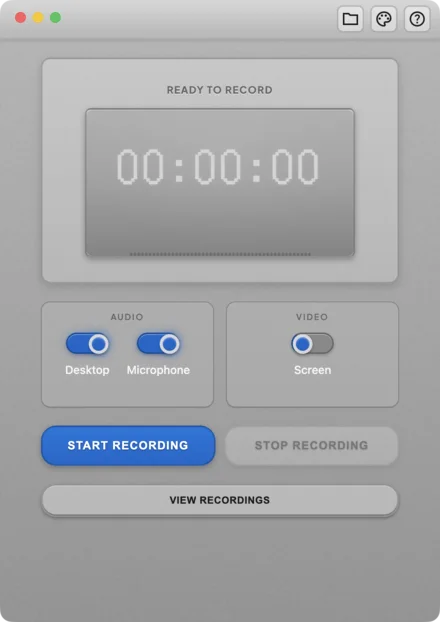
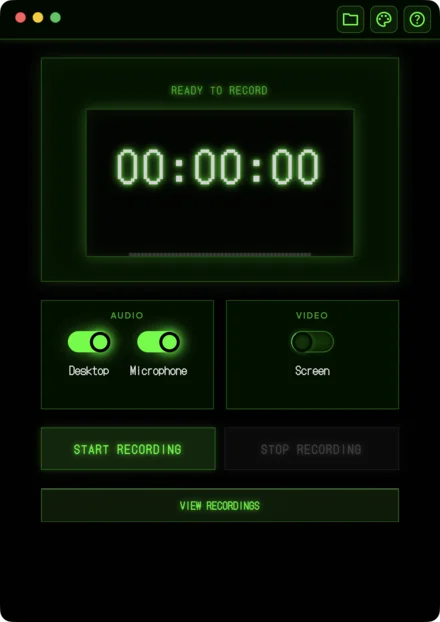
I also created a theme system with four themes, each one celebrating a different piece of retro hardware. The default theme has this warm orange hardware feel. VCR gives you amber LEDs and that boxy 80s recorder look. Terminal is green phosphor on black, like a classic CRT. Walkman goes for that compact metallic device aesthetic. Each theme changes the visual language of the entire app. Shadows, borders, typography weight, everything.
For me, the themes were a way to celebrate the tactile, retro-inspired hardware of the past. Recording devices used to be physical objects with real buttons and real weight. I wanted some of that feeling in the software.
Making it feel complete
Once I had the core recording and transcription working, I focused on making the whole experience feel like a finished product. The recording viewer is its own window with video playback synced to the transcript. You can copy the full transcript, reveal files in Finder, retry if something went wrong. The app keeps track of every recording’s state so you always know where things stand.
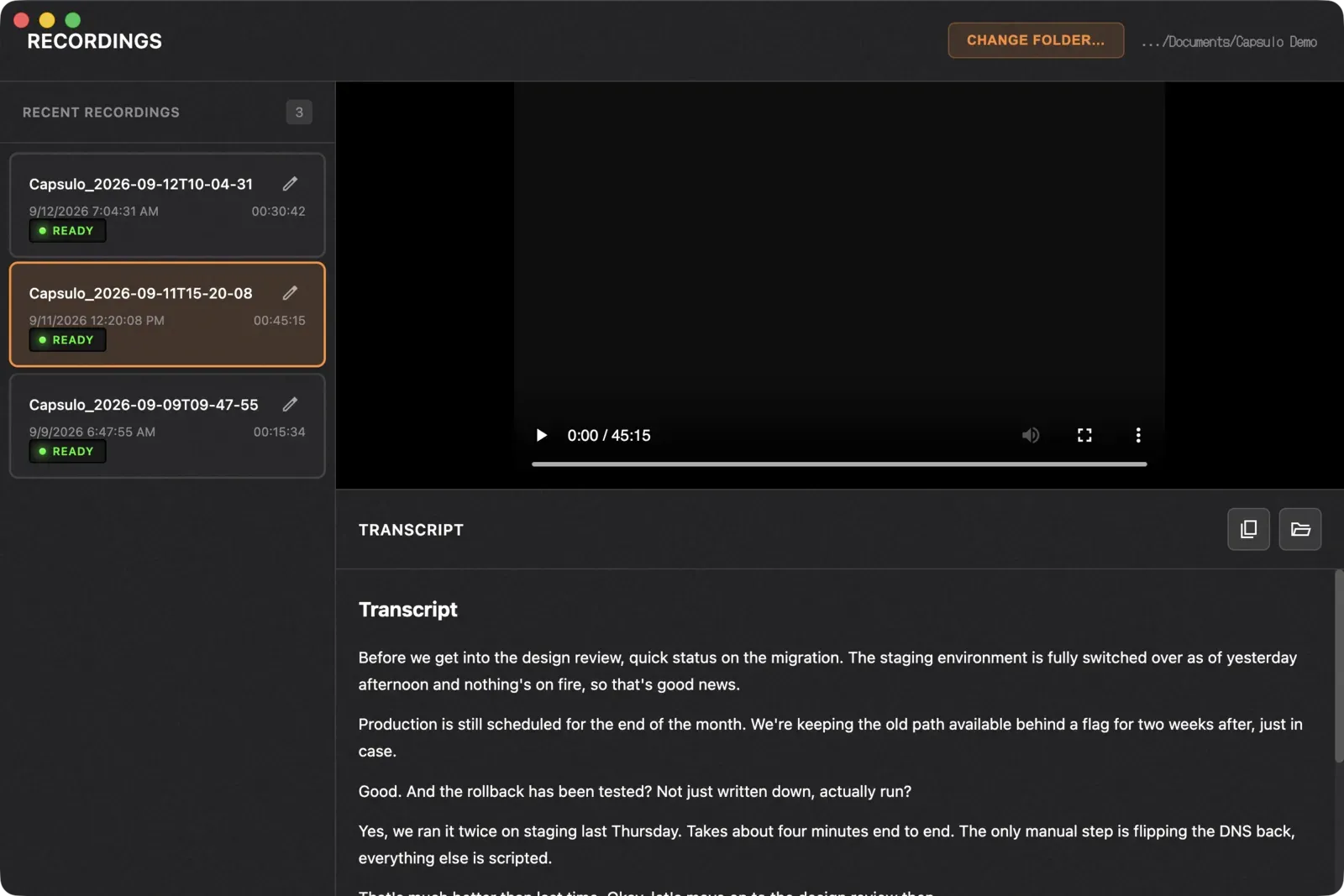
I spent a lot of time on the small things. The audio visualizer during recording, the way the timer feels, how the app behaves when you switch between recordings. There’s also a hidden debug console for when I need to troubleshoot something. Little details like that are what make it feel like a real tool and not a weekend project.
Shipping it for real
I signed up for the Apple Developer Program, handled code signing and notarization, and packaged the whole thing as a proper Mac app with a DMG installer. It’s a one-time $50 purchase. That felt important to me. The product is about respecting people’s privacy and their money.
The website at capsulo.one is something I’m really proud of too. I wanted it to be a love letter to the product. It keeps the same clarity, the same design structure, the same attitude that the app has. No fluff, no marketing speak. Just what it does, why it matters, and how to get it.
What this project means to me
If my girlfriend hadn’t come to me with that specific problem, in that specific context, I probably wouldn’t have built this. That’s how a lot of good software starts, right? Someone you care about has a real need, and you realize you can actually solve it.
What surprised me was how much I ended up caring about the product itself. It went from “let me help you with this” to something I use every day, something I refined and polished until it felt genuinely mine. It started as a working prototype and over a few months became a complete, polished product.
I’m really proud of how this came out. For me, Capsulo One is proof that the best things I build come from real problems, not from trying to impress anyone.
Working on something similar?
I'd love to hear what you're building. For me, the best projects start with a good conversation, so feel free to reach out.
Let's Talk